
Apple Podcasts, Spotify and other apps find your show through your public channel’s feed address. You give it to each directory once, and new episodes reach them automatically from then on.
Before you start
- Your show needs a public channel. See Add a channel to your show.
- Most directories want at least one published episode and square cover art between 1400 × 1400 and 3000 × 3000 pixels.
Open the Directories tab
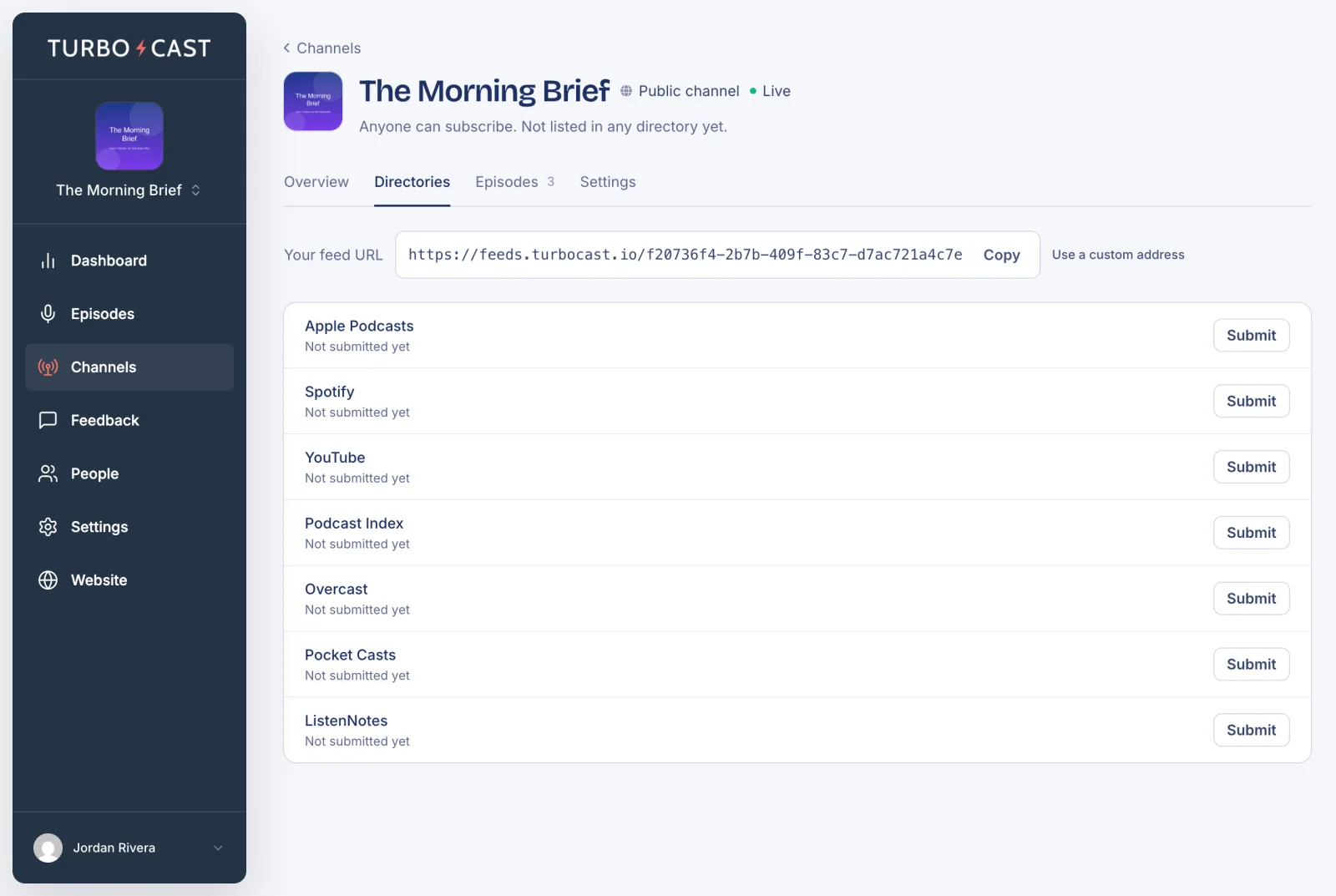
Click Channels in the left menu, open your public channel and go to its Directories tab. At the top is Your feed URL. Below it, every directory TurboCast can help you with shows whether you’ve submitted to it yet.
Submit to a directory
Click Submit next to a directory. TurboCast shows the exact feed you’re submitting and walks you through that directory’s steps:
- Apple Podcasts, Spotify and YouTube need you to sign in to their own sites. TurboCast gives you a Copy feed URL button and numbered steps to follow there. See Submit your podcast to Apple Podcasts for a full walkthrough.
- Pocket Casts and ListenNotes can be submitted straight from TurboCast with one button.
- Podcast Index and Overcast open a submission page with steps to follow.
For a directory you submit to on its own site, come back when it has accepted your show and click Mark as submitted. For Apple Podcasts, save your show’s Apple Podcasts link instead. The Directories tab then shows the directory as submitted. For Apple Podcasts and Spotify, your channel’s setup checklist ticks it off too.
How long it takes
Each directory checks new shows in its own time. Apple Podcasts can take anywhere from an hour to a week. Others are often quicker. Our guide on how to submit a podcast covers each one, and Podcast not showing up on Spotify or Apple? covers the usual hold-ups.