
Instead of inviting everyone yourself, you can share one signup link. Anyone who opens it can enter their email and get their own personal feed. It’s handy for a members’ newsletter, a Patreon post or a course page.
Find and copy the link
- Click Channels in the left menu and open your private channel.
- On the Overview tab, find Signup link.
- Click Copy link, then paste it wherever your audience will see it.
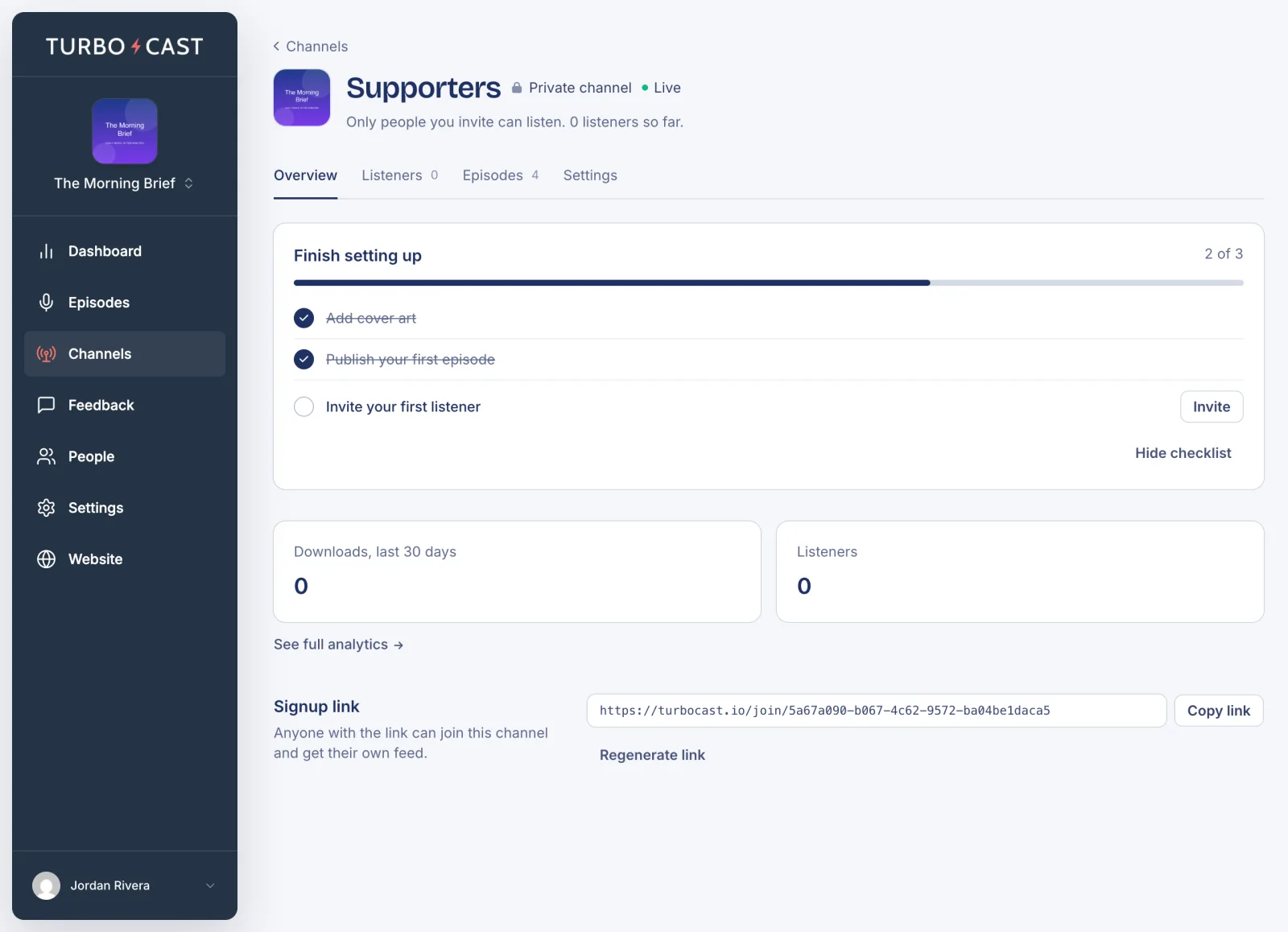
If you see Self-serve signup is off instead, click Turn it on in Settings, tick Allow self-serve signup and click Save changes.
What people see
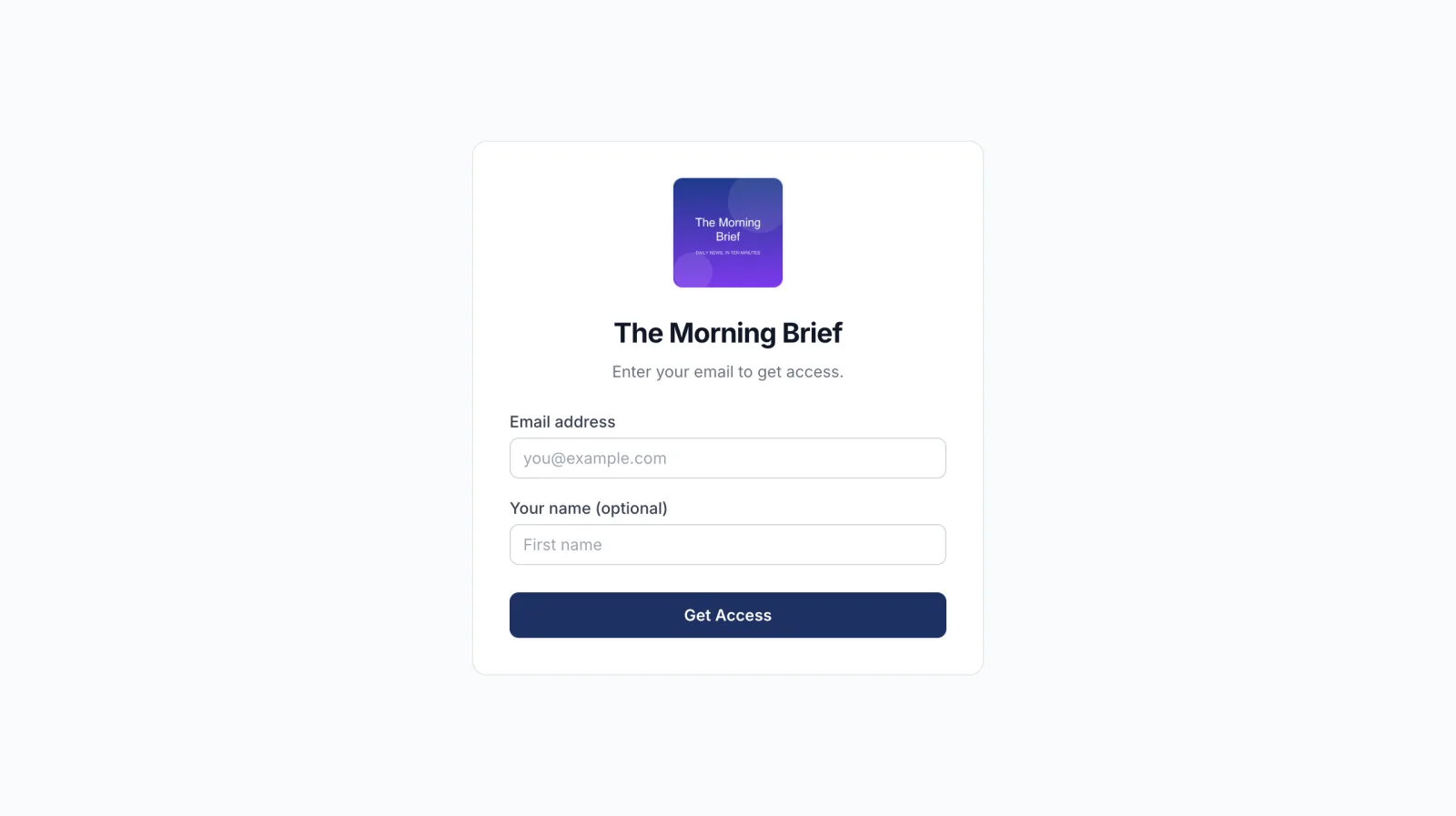
The link opens a page with your show’s artwork and name. They enter their email, and their name if they like, and click Get Access. TurboCast emails them their personal feed link, the same email an invited listener gets, and adds them to your Listeners tab.
Replace the link
If the link ends up somewhere you didn’t intend, click Regenerate link under it. The old link stops working straight away. Anyone who already signed up keeps their access.
Turn signup off
To let people in only by invitation, open the channel’s Settings tab, untick Allow self-serve signup and click Save changes. The link stops working until you turn it back on.