
Every episode chooses its own channels. Most go everywhere, but you can keep one private, such as a bonus for supporters, or hold one back from a channel.
When you publish
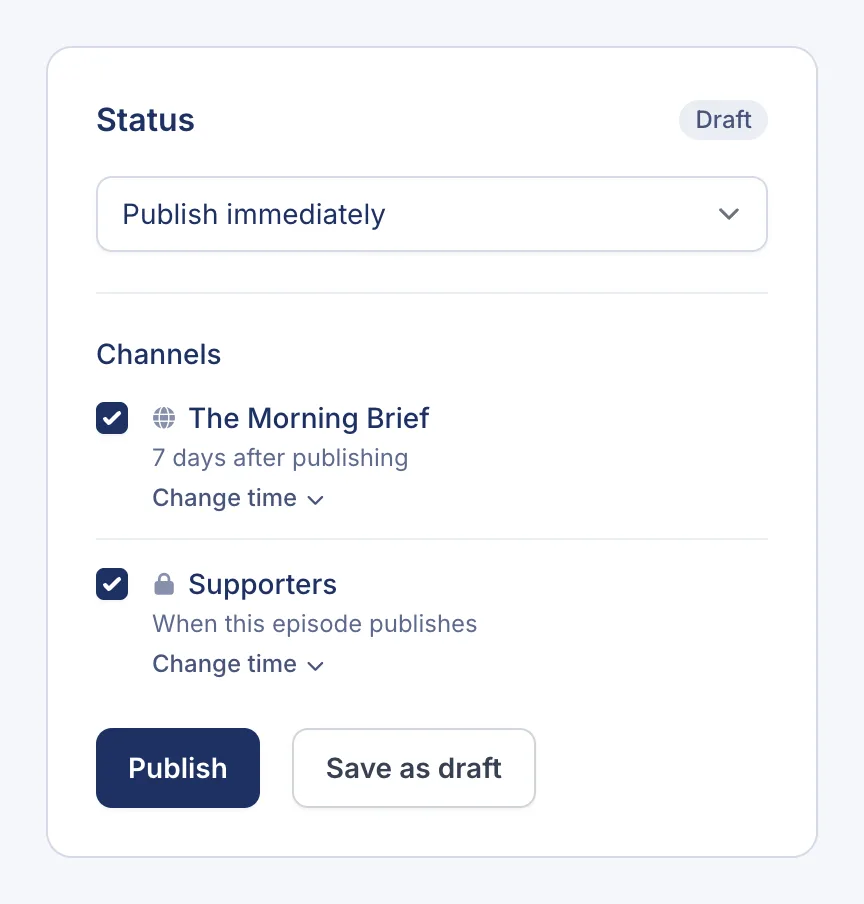
In the episode’s Status panel, every channel is listed under Channels with a tick box. The line under each channel says when it gets the episode.
- Ticked channels get the episode.
- Unticked channels don’t.
New episodes start with every channel ticked, unless you’ve turned off Add new episodes automatically in a channel’s settings.
Make an episode private-only
Untick your public channel and leave your private channel ticked. TurboCast reminds you with Not on any public channel — private channels only. The episode never appears in Apple Podcasts, Spotify or on your website. Only your private listeners get it, along with an email letting them know it’s out.
Change channels later
Open the episode from the Episodes page, tick or untick channels, and click Update.
- Unticking a channel the episode has already gone out on takes it out of that channel’s feed. Anyone who already downloaded it keeps their copy.
- Ticking a channel for an episode that’s already out adds it without emailing anyone. Private listeners only get emails about new episodes.
Add older episodes to a channel
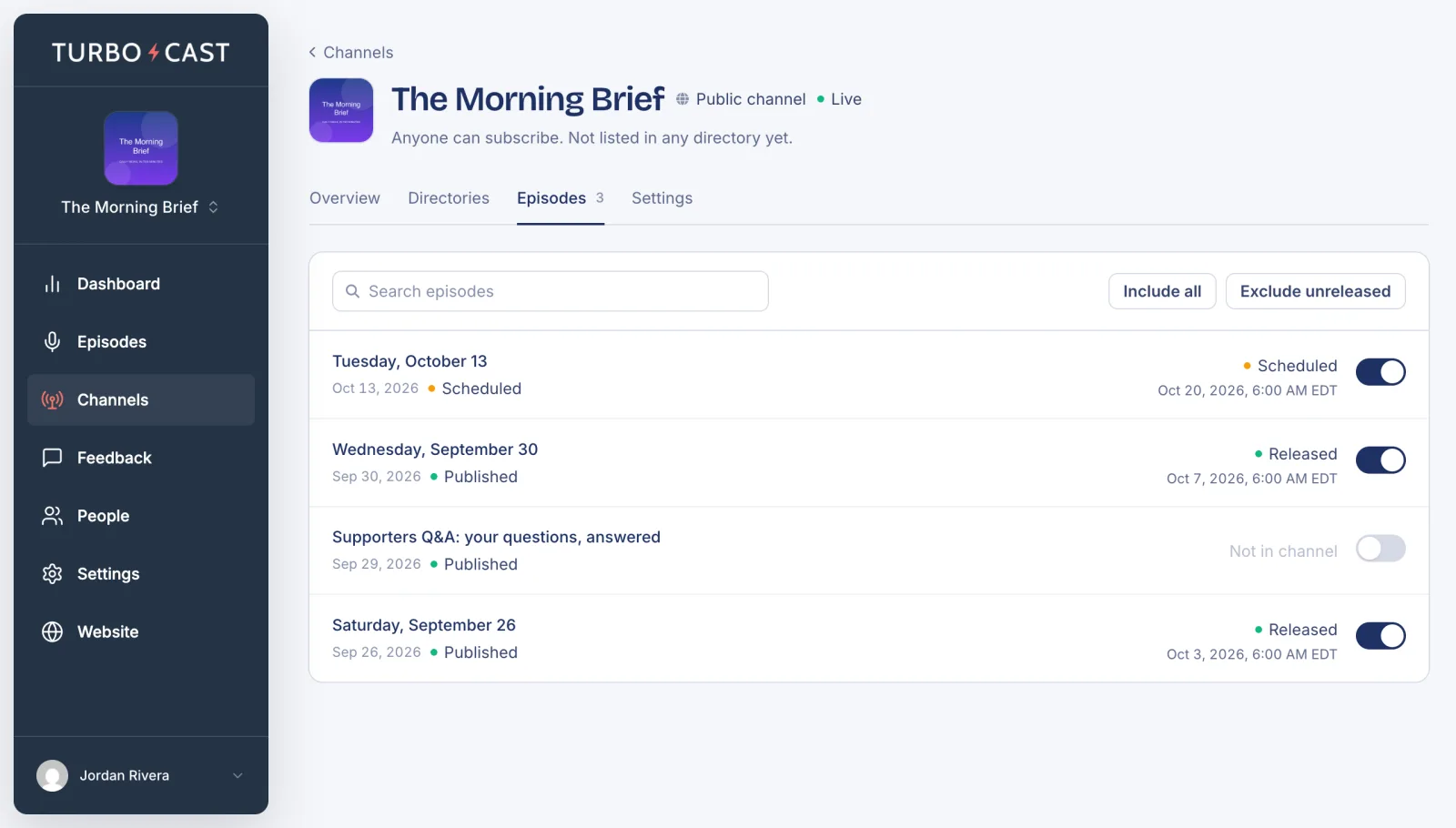
To work channel by channel instead, click Channels, open a channel and go to its Episodes tab. Turn the switch beside an episode on to add it, or off to remove it. TurboCast asks you to confirm before removing an episode that’s already out there. Include all adds your whole back catalog at once.
See where each episode went
The Channels column on the Episodes page shows whether each episode went to your public channel, your private channels, or both. Hover over a line to see the channels’ names. To list only one channel’s episodes, choose it from All channels above the list.